What Is Payload CMS? A Plain-English Explainer
No jargon, no developer-speak — just what it is and what it means for your website
Payload CMS is software that lets you update your website's text, images, and pages yourself, through a simple dashboard, without ever needing to write code or call a developer.
Last updated
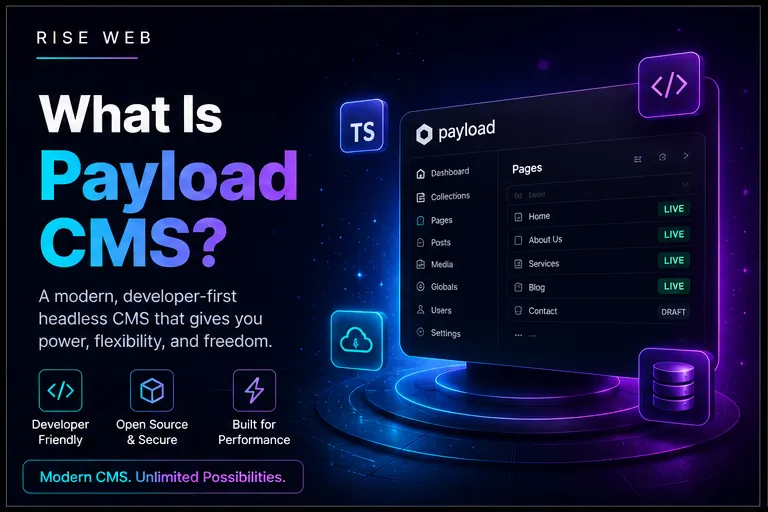
Payload CMS is software that lets you update your website's content — text, images, pages — through a simple dashboard, without needing to know how to code or call a developer every time something needs to change.
That's the whole concept. Everything below is detail.
Table of Contents
- The Short Answer
- What "Headless" Actually Means
- What You Can and Can't Do Yourself
- How It Compares to "The Old Way"
The Short Answer
Payload CMS is a content management system — a piece of software, set up by a developer, that gives you a private dashboard for editing your website's content. You log in, click on a page or blog post, change the text or swap an image, hit save, and the live website updates immediately. No code, no developer call, no waiting.
The "CMS" part isn't unique to Payload — WordPress is a CMS too, and so are several other platforms. What makes Payload specifically different is how it's built, which is where the word "headless" comes in.
What "Headless" Actually Means
This is the one technical word in this whole article, and it's worth explaining properly because it's the actual difference that matters to you as a business owner.
Think of a website as having two separate jobs:
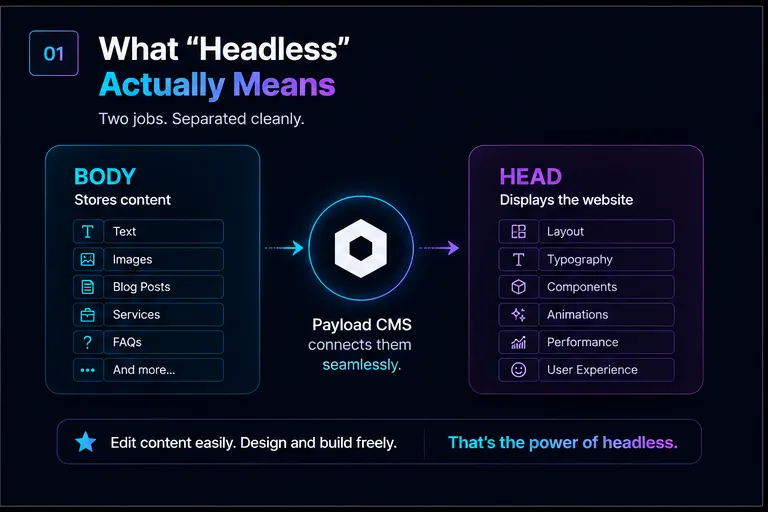
- Storing and organizing the content — the words, images, page structure, blog posts. This is the "body."
- Displaying that content to visitors in a particular design — the layout, fonts, colors, animations. This is the "head."
In an older-style system, those two jobs are bolted together. The system that stores your content and the system that displays it are the same piece of software, tightly intertwined. That's convenient in some ways, but it also means the design is constrained by what that all-in-one system allows.
A headless CMS like Payload deliberately separates those two jobs. Payload handles the storage and organization — that's the "body," and it's what you log into. The "head" — the actual website design your customers see — is built separately, using modern web development tools, and simply asks Payload for the content it needs to display.
The practical benefit for you: the website your customers see can be built faster, more securely, and more precisely to your design, because it isn't constrained by an editor-and-display system bundled together. You still get the same simple editing dashboard either way.
What You Can and Can't Do Yourself
Once a Payload-powered site is properly set up, here's the honest breakdown.
You can, without calling a developer:
- Edit any text on any page — headlines, body copy, descriptions, pricing
- Upload, replace, or remove images
- Write, publish, edit, or unpublish blog posts and news updates
- Update business information — hours, phone numbers, addresses, team bios
- Add new items to a defined list — new products, new team members, new testimonials, new FAQ entries — using the structure your developer set up for that content type
- Schedule content to go live at a future date, if that feature was configured
This list covers the overwhelming majority of day-to-day requests a small business actually makes — text updates, new blog content, image swaps, and adding new entries within a list that was designed for exactly that purpose.
You generally still need a developer for:
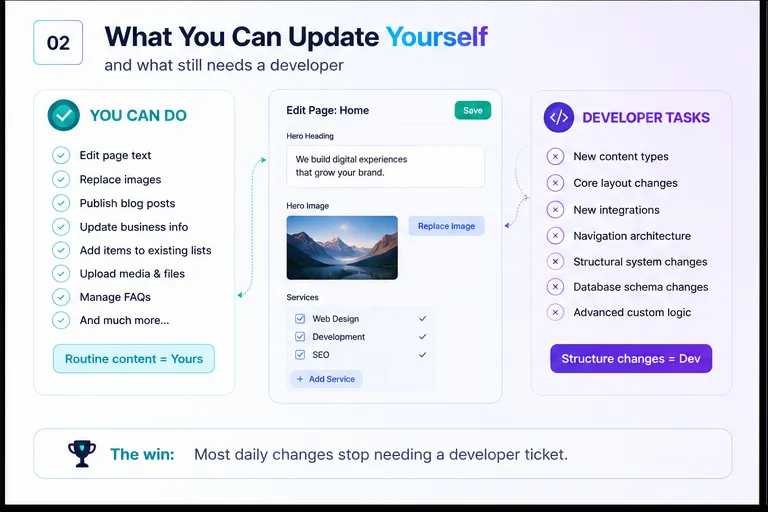
- Adding an entirely new type of content the system wasn't built for — for example, if your site has no events section and you want to add one
- Changing the core design or layout structure
- Adding new technical integrations — a new payment provider, a new booking system, a new analytics tool
- Structural changes to navigation or site architecture
The dividing line is simple: anything that's filling in content within an existing structure is yours to do. Anything that changes the structure itself is a developer task. A well-built Payload setup anticipates your common content needs upfront, so the second list stays short.
How It Compares to "The Old Way"
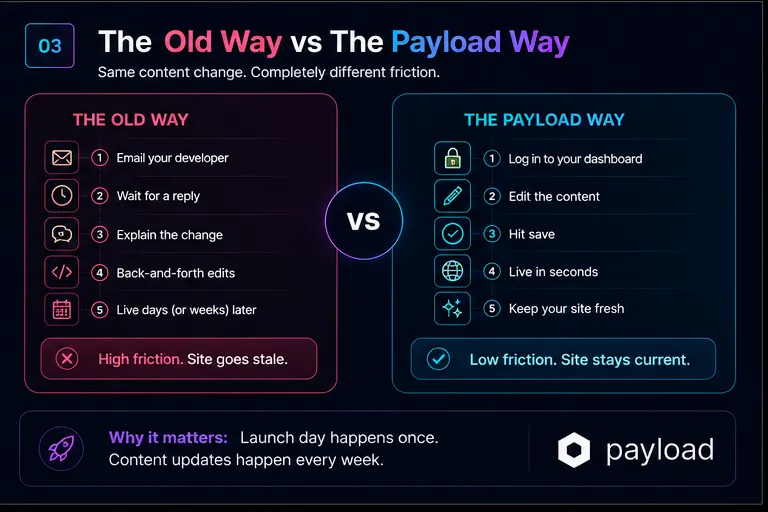
The old way, for a lot of small businesses, looks like this: you notice a typo, a price that's changed, or a new service you want to list. You email or message your web developer. They reply in a day or two, sometimes longer if they're busy with other clients. They make the change, you review it, maybe there's a round of back-and-forth, and a week later the website finally reflects reality. For every single small change.
This isn't a hypothetical — it's the default experience for businesses on systems that weren't built with editor-friendly content management at all, or where the original developer set things up in a way only they understand.
With a properly configured CMS like Payload, that entire loop collapses to: you log in, you make the change, it's live in seconds. The developer's job shifts from "doing every content change" to "building the structure once, properly, so you don't need them for routine updates."
This is also one of the most overlooked factors in choosing a CMS platform in the first place — the editing experience day-to-day matters as much as how the site looks on launch day, because launch day happens once and content updates happen every week. You can see the exact technology a Payload-powered site is built on, including how it fits together with the design layer, at /stack.
Why This Matters More Than It Seems
A website that's hard to update tends to go stale. Pricing pages stop reflecting reality, team bios list people who left a year ago, blog sections sit untouched for months. Not because the business doesn't care, but because the friction of "emailing the developer" is just high enough that small updates keep getting postponed. A CMS that removes that friction doesn't just save time on any one change — it changes the odds that the change happens at all.
If you're evaluating whether your current website setup is actually giving you this kind of control — or if you're still emailing a developer for every small change — that's worth checking directly rather than guessing. If your site currently lives on a website builder, how a custom build compares to Wix and Squarespace is the more direct comparison.